> For the complete documentation index, see [llms.txt](https://help.checkoutchamp.com/llms.txt). Markdown versions of documentation pages are available by appending `.md` to page URLs; this page is available as [Markdown](https://help.checkoutchamp.com/crm/admin-setup/zones.md).
# Zones
Group countries and/or geographical regions into Zones and use them to apply Sales Tax Profiles, Shipping Profiles, Coupons, and ATRI routing.
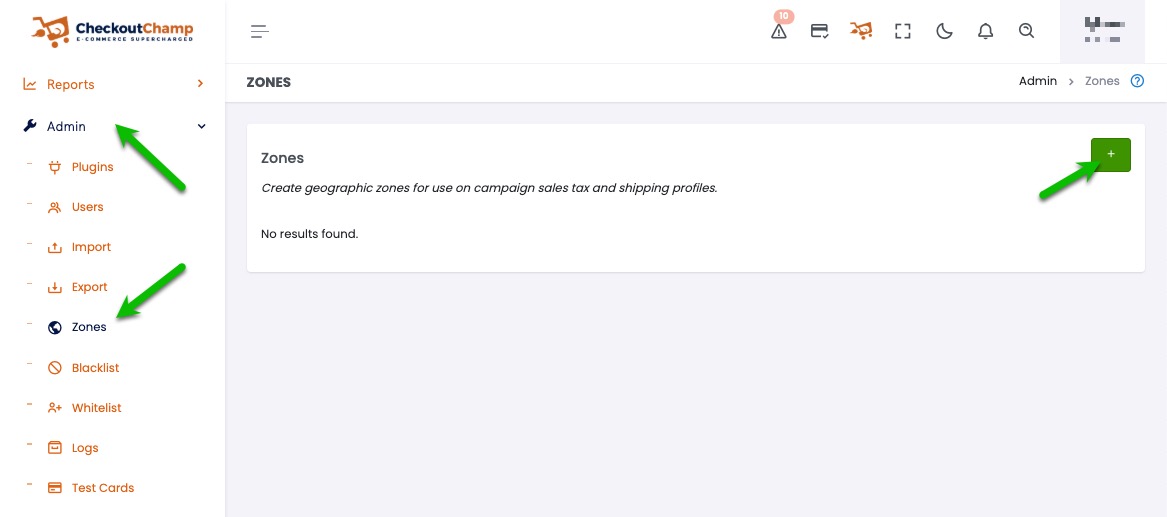
To create a Zone, navigate to Admin**→**Zones and click the green "+"button:
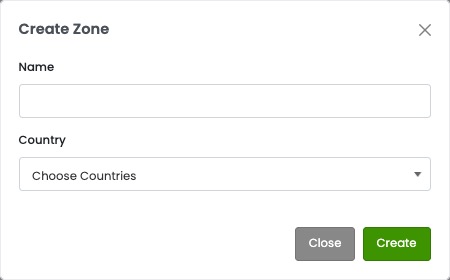
Add a Name to your Zone, then select the country or countries that you'd like to add to the Zone:
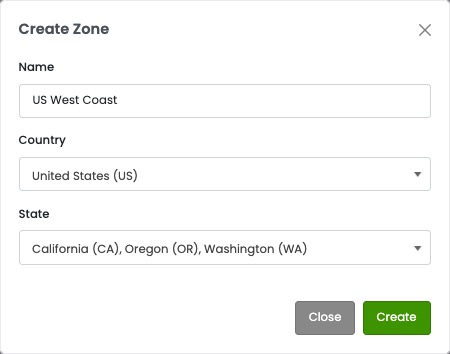
Single Country
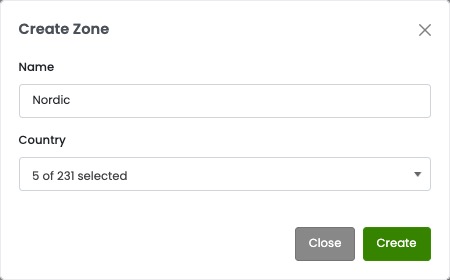
Multiple Countries
Selecting a single country allows you to add specific states within that country to the Zone:
Selecting multiple countries will not allow you to select specific states:
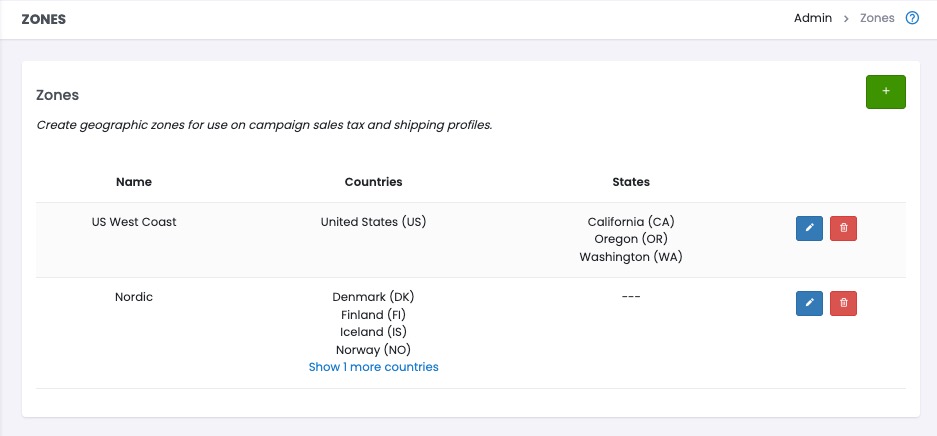
Once created, you'll see your Zones listed and they will be available within your [Sales Tax Profiles](/crm/crm-setup/campaign-setup/taxes.md), [Shipping Profiles](/crm/crm-setup/campaign-setup/shipping-profiles.md), [Surcharge Profile](/crm/crm-setup/campaign-setup/surcharges.md), [Coupons](/crm/crm-setup/campaign-setup/campaign-coupons.md), and [ATRI Profiles](https://help.checkoutchamp.com/crm/gateway-setup/advanced-transaction-routing-interface-atri/atri-algorithms#geolocation).
You can come back to Admin**→**Zones to view, edit, or delete your Zones: