> For the complete documentation index, see [llms.txt](https://help.checkoutchamp.com/llms.txt). Markdown versions of documentation pages are available by appending `.md` to page URLs; this page is available as [Markdown](https://help.checkoutchamp.com/crm/crm-setup/campaign-setup/subscribe-and-save-profiles.md).
# Subscribe & Save Profiles
**Subscribe & Save profiles** are used to offer subscription versions of an existing product. Products within a profile are matched using the same **base product**, ensuring consistency between one-time and recurring purchase options.
When creating a Subscribe & Save profile, the following requirements apply:
* A **one-time product** and a **recurring product** must both exist within the **same campaign**.
* Both products must share the **same base product**.
* You may associate **multiple one-time products** with a **single recurring product**, allowing different one-time variations (such as bundles or sizes) to convert into a common subscription option.
This setup enables customers to seamlessly switch from a one-time purchase to a subscription while maintaining a unified product experience across the storefront and checkout.
**Choose the following:**
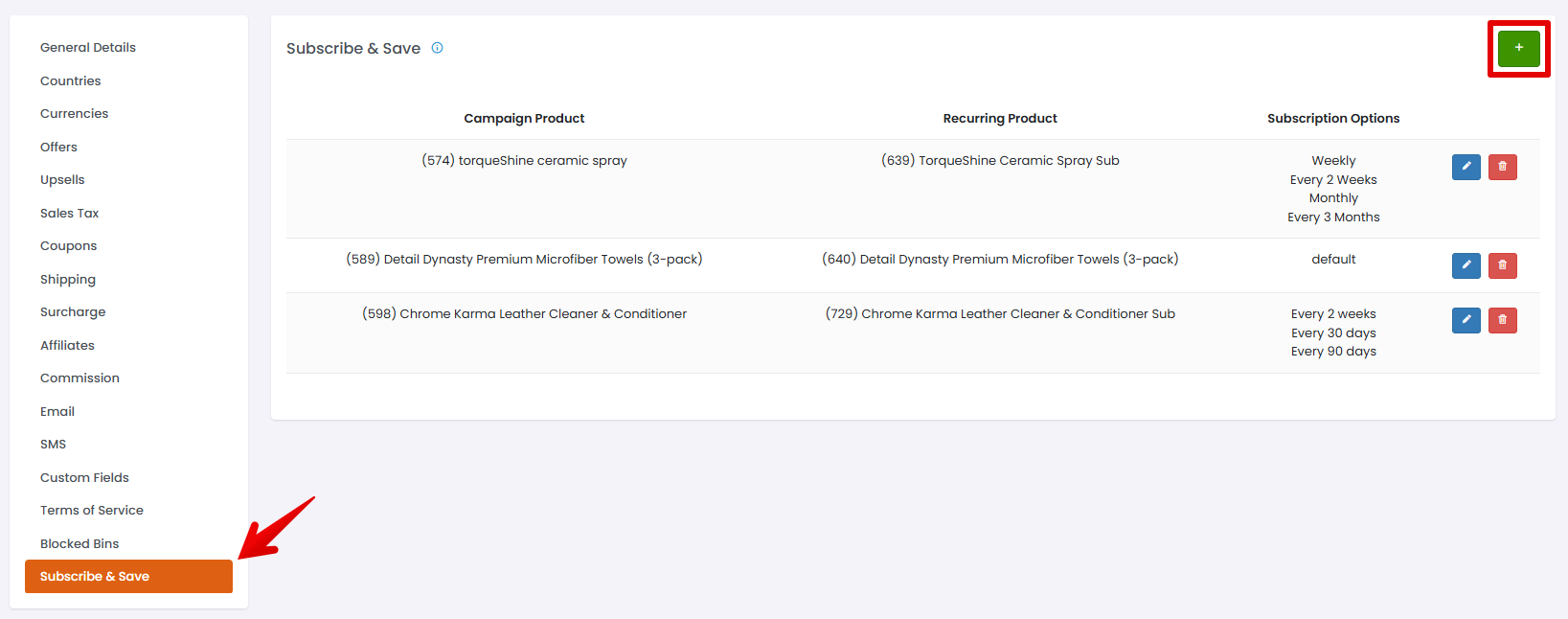
* Campaign Product: The one time offer to add a subscription to.
* Recurring Product: The recurring offer used to add a subscription.
* Default Product: Used for subscribe and save elements so that one option will be chosen by default.
* Subscription Options: Used to provide a list of frequencies for the customer to choose. The options must include the words day, week, or month. This can be seen in the example below If none are set, then the cycles used on the offer will be set to the subscription (shown as default).