> For the complete documentation index, see [llms.txt](https://help.checkoutchamp.com/llms.txt). Markdown versions of documentation pages are available by appending `.md` to page URLs; this page is available as [Markdown](https://help.checkoutchamp.com/crm/gateway-setup/gateway-integrations/skrill.md).
# Skrill
{% hint style="danger" %}
CheckoutChamp does not store any card details for merchants using Skrill's Payment Gateway
Skrill will work for One-time purchases only. **Skrill does not support rebills.**
Skrill will ONLY work with landers that connect to CheckoutChamp via Direct API. This will NOT work with Order Entry.
{% endhint %}
**STEP 1**
Go to **Merchants** > **Gateway Integrations**
**STEP 2**
Scroll down to **Skrill**
**STEP 3**
Click the green **Activate** button to activate **Skrill**
**STEP 4**
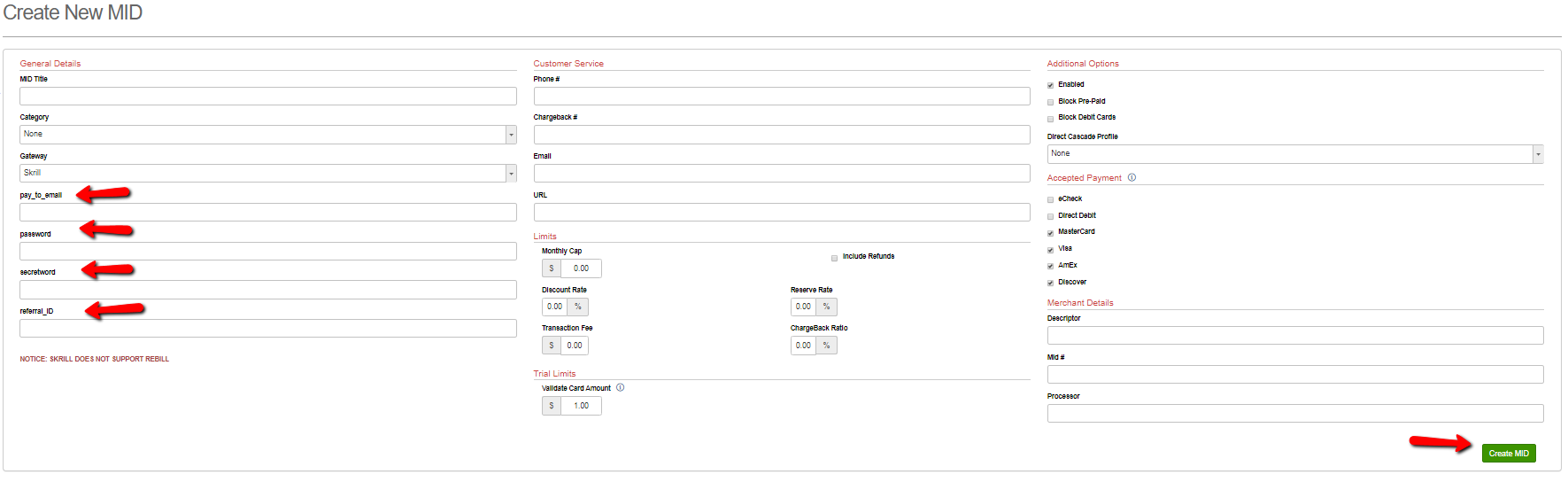
Enter **pay\_to\_email**, **password, secretword** and **referrel\_ID** in the General Details Section of the Mid Creation Screen
**pay\_to\_email**, **password, secretword** and **referrel\_ID** will be obtained from your Skrill gateway account.
**Reference:** [**https://www.skrill.com/en-us/**](https://www.skrill.com/en-us/)
\
**STEP 5**
Click the green **Create MID** button to save your changes and create the Mid.
**STEP 6**
Checkout page should be secure HTTPS. A non-secured call to the Skrill gateway will be rejected.
Pass paySource=PREPAID and prepaidType=SKRILL on the import order API call from your checkout page
One option is to use hidden input fields on the page
```
```
```
```