> For the complete documentation index, see [llms.txt](https://help.checkoutchamp.com/llms.txt). Markdown versions of documentation pages are available by appending `.md` to page URLs; this page is available as [Markdown](https://help.checkoutchamp.com/crm/plugins/fulfillment-houses/store-pickup.md).
# Store Pickup
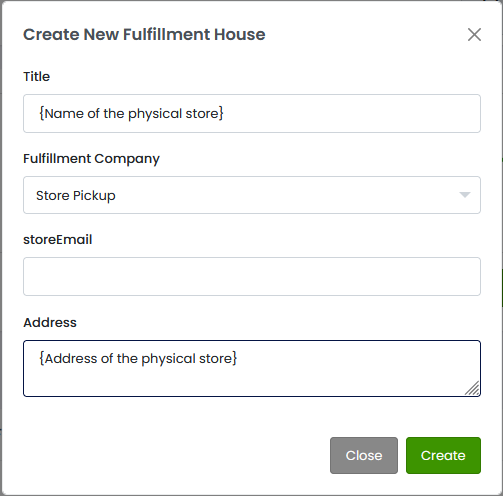
In CRM go to Fulfillment → Fulfillment Houses. Activate the **Store Pickup** tile.
**Title** - Name of the store
**storeEmail** - Email of the store location. This email address will be BCC’d on all order confirmation and RMA emails sent to the consumer.
**Address** - Physical address for the store
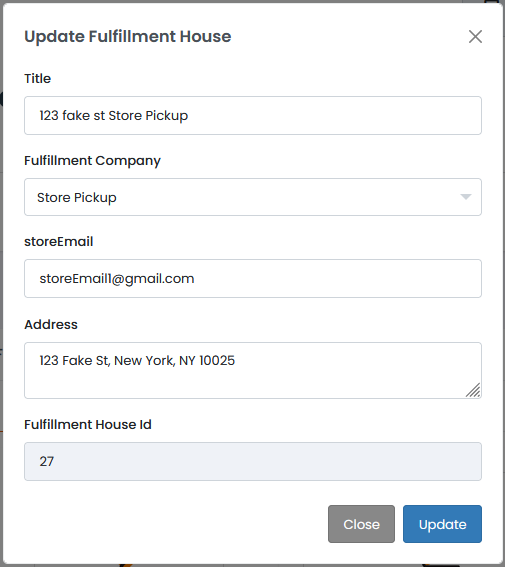
Once the store pickup location is created, it will show the Fulfillment House Id.
### Using Store Pickup Locations
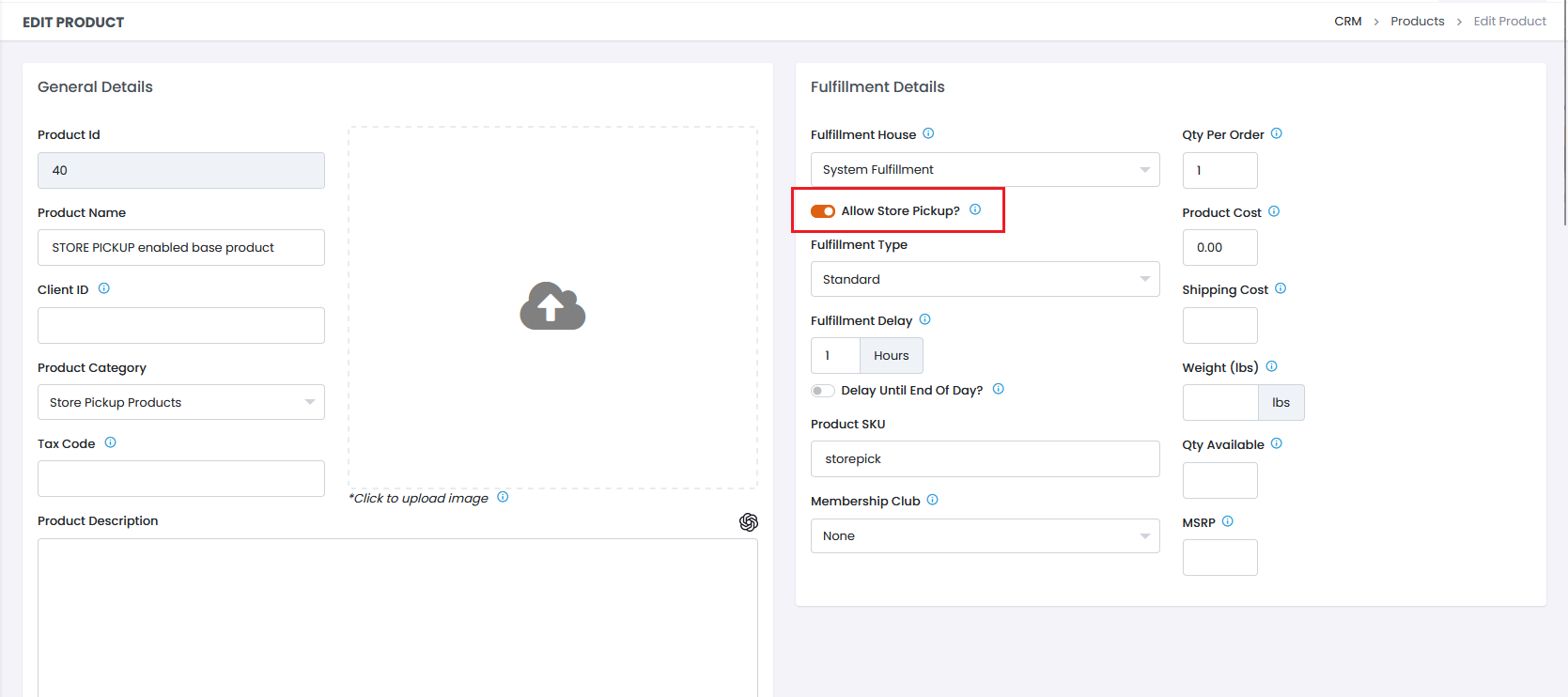
Once a store pickup location has been created, base products must be enabled for store pickup.
{% hint style="info" %}
Products cannot be enabled for store pickup until a store pickup location is added
{% endhint %}
{% hint style="info" %}
Recurring products are not available for store pickup
{% endhint %}
Once a store pickup location is created *and* a base product is enabled for store pickup, then it is possible to fulfill orders with at that location. This is done by passing **storePickupId** in the Order Import API. The value is the Fulfillment House Id found when editing the store pickup location.
When a combination of store pickup and non-store pickup products are passed in on an order, two separate fulfillments are created - one for the store pickup items and one for the non-store pickup items.
{% hint style="info" %}
**Note: Shipping and shipping tax will not be charged for store pickup fulfillments.**
{% endhint %}
### Managing Inventory at Store Pickup Locations
Inventory for store pickup locations can be managed by navigating on the sidebar to Fulfillment > Inventory Report. Stock quantities at store pickup locations can be added for any base products that allow store pickup.
When orders are created, the stock quantity of that SKU at that store pickup location is lowered by the amount ordered. The RMA process reverses this, and adds the quantity returned back to the inventory of the store.