> For the complete documentation index, see [llms.txt](https://help.checkoutchamp.com/llms.txt). Markdown versions of documentation pages are available by appending `.md` to page URLs; this page is available as [Markdown](https://help.checkoutchamp.com/crm/frequently-asked-questions-faqs/builder-questions.md).
# Builder Questions
### **Q: How can I access the checkout page JavaScript code? (index.js)**
* You are free to add your own JavaScript to the page, but you cannot edit the core JavaScript file.
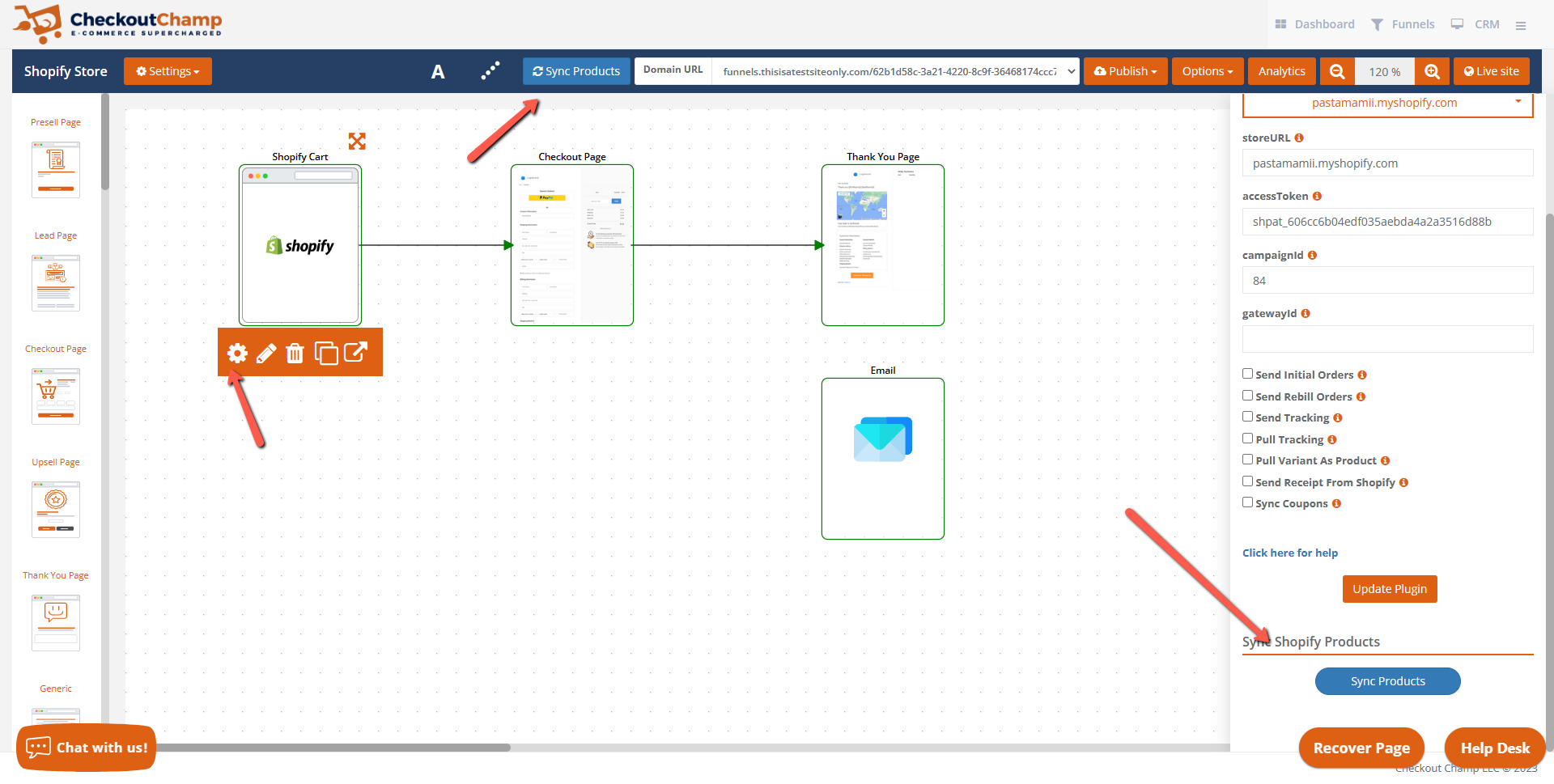
### **Q: How do I sync my products?**
* In the builder you can find the Sync button on the Funnel tool bar as well as on the plugin when you click the gear icon.
### **Q: Input fields zoom in on mobile apple devices**
* Change the font size to 16.
{% file src="/files/tBwVwKVsrqHMKentoUKn" %}
**Q: Currency Symbol isn’t updating on all sections.**
* Make sure the HTML symbol is the Base Currency symbol of the campaign.
### **Q: I can’t find my link or button on the route dropdown.**
* Make sure all of your buttons and links have titles on them for the dropdown to display them properly.
### **Q: The country select isn’t showing all of the options.**
* Make sure to add the countries you will be selling to in the campaign.
### **Q: Do the SSL certificates for the domains in Checkout Champ auto renew.**
* The SSL certificates issued on our side for funnels in our platform will auto-renew.
### **Q: Why can’t I see my shipping options?**
* Make sure there is a shipping profile option (select or radio button) on your page.
* Make sure there is a valid shipping profile (CRM or APP)
* Make sure there is a shippable product in your cart.
### **Q: What types of totals can I display on my checkout page?**
The totals you can use are as follows: compareAtTotal, discount, grandTotal, salesTax, savings, shipTotal, subTotal
You would use these as classes on the text box that should display them.
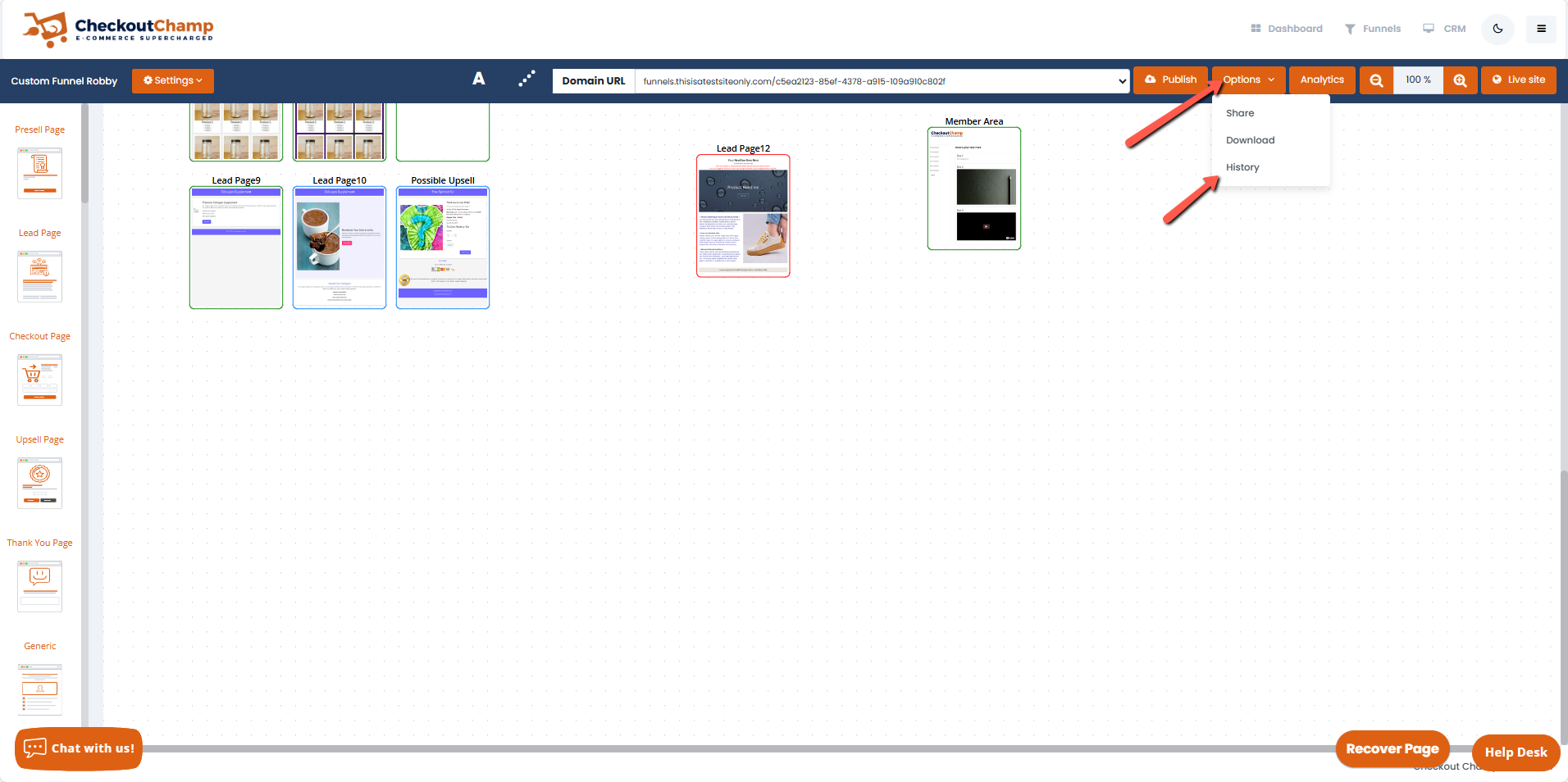
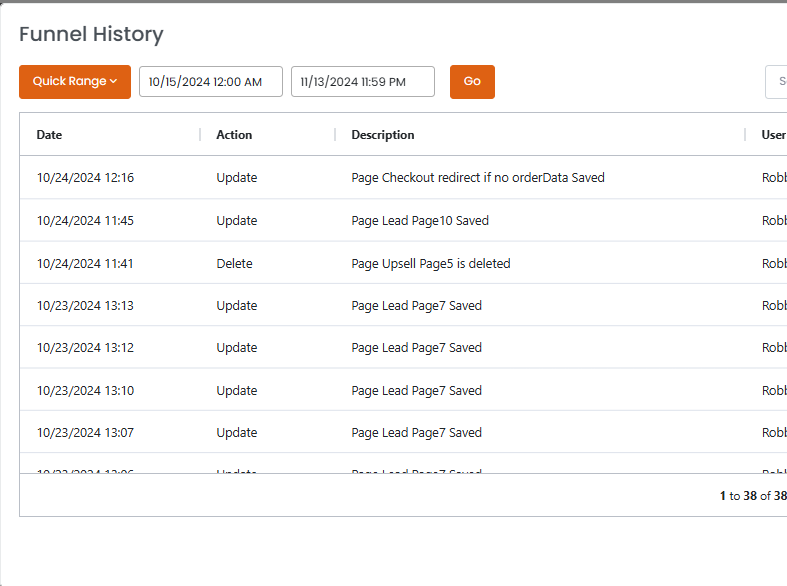
### **Q: How do I view changes made to my funnel?**
You can view the changes in the Funnel History
### **Q: How do I choose / change the domain on my funnel?**
If you have already added your domains to Checkout Champ and want to update or choose a different domain in the funnel:
* Open the funnel
* Click the domain dropdown
* Choose the domain you want to use