# HubSpot

### Obtaining HubSpot access token <a href="#hubspot-obtaininghubspotaccesstoken" id="hubspot-obtaininghubspotaccesstoken"></a>

To obtain your HubSpot access token please do the following

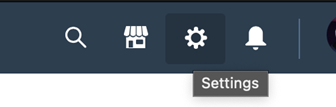
1. Log into your HubSpot account, and click the Gear icon on the top right corner.

<figure><img src="https://3790748257-files.gitbook.io/~/files/v0/b/gitbook-x-prod.appspot.com/o/spaces%2FT43PzcNjyZtWby9yrGd3%2Fuploads%2FpcVBet1BAiXRq620Zicw%2Fimage.png?alt=media&#x26;token=04f05150-91f1-4004-a142-9030a5a7b918" alt=""><figcaption></figcaption></figure>

&#x20;

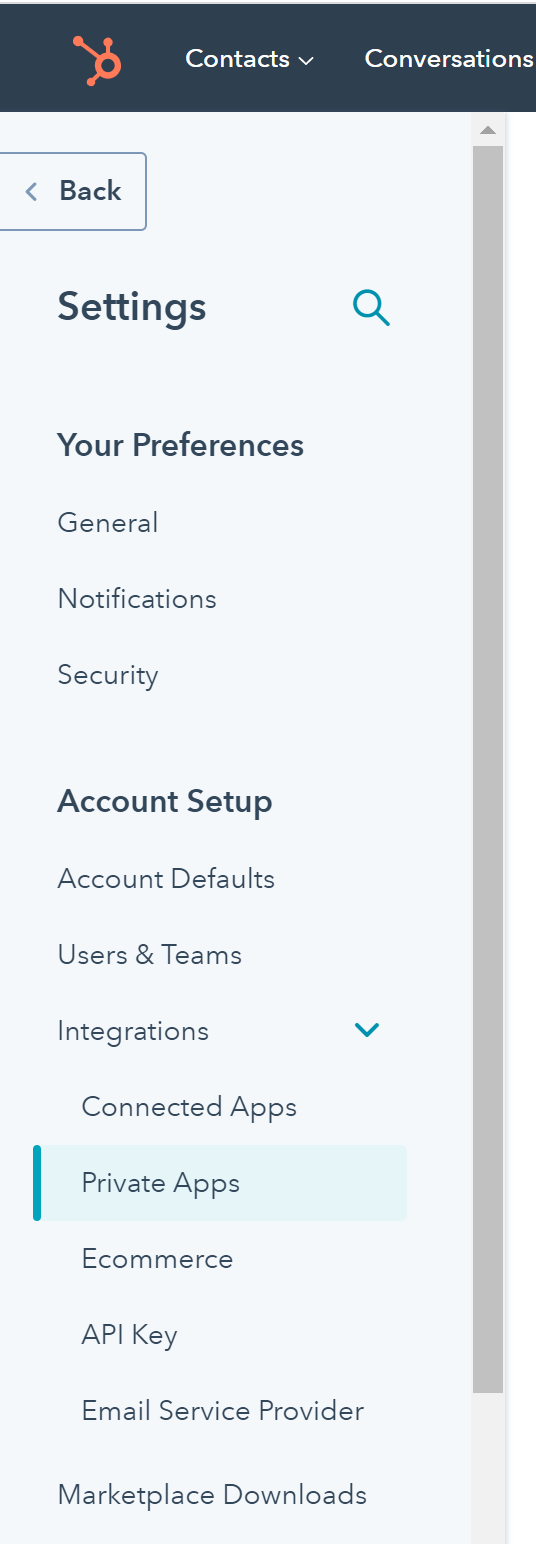
1. On the left navigation bar, expand “Integrations” and click “Private Apps”

<figure><img src="https://3790748257-files.gitbook.io/~/files/v0/b/gitbook-x-prod.appspot.com/o/spaces%2FT43PzcNjyZtWby9yrGd3%2Fuploads%2FuVOSrbQIufGyy7le5CBi%2Fimage.png?alt=media&#x26;token=1316c05a-d8f3-461c-a814-e3d7910e0876" alt="" width="268"><figcaption></figcaption></figure>

&#x20;

1. Follow instructions here

<https://developers.hubspot.com/docs/api/migrate-an-api-key-integration-to-a-private-app>

{% hint style="success" %}
The private app must provide with following scopes.&#x20;

`crm.objects.contacts.read`

`crm.objects.contacts.write`
{% endhint %}

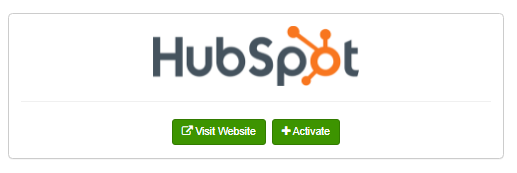
#### Navigate to **Admin** → **Plugins** → **Data Sources.** Click the “*+Activate”* button to Activate the HubSpot Plugin. <a href="#hubspot-navigatetoadmin-plugins-datasources.clickthe-activate-buttontoactivatethehubspotplugin" id="hubspot-navigatetoadmin-plugins-datasources.clickthe-activate-buttontoactivatethehubspotplugin"></a>

<figure><img src="https://3790748257-files.gitbook.io/~/files/v0/b/gitbook-x-prod.appspot.com/o/spaces%2FT43PzcNjyZtWby9yrGd3%2Fuploads%2FFNZGbYSZq3bhPL0AozDF%2Fimage.png?alt=media&#x26;token=56e3351b-4e84-42d9-8fdd-b9a98e1afda3" alt=""><figcaption></figcaption></figure>

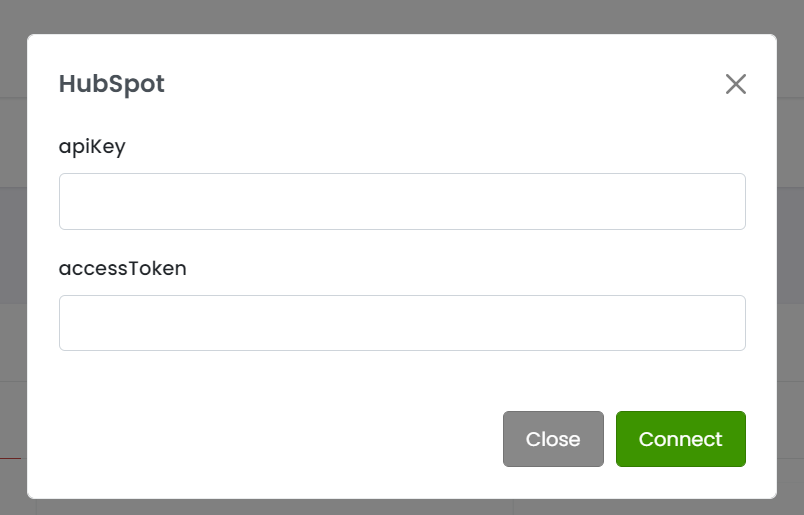
#### Enter the **accessToken** provided by HubSpot in the Activate Plugin popup. Ignore apiKey. <a href="#hubspot-entertheaccesstokenprovidedbyhubspotintheactivatepluginpopup.ignoreapikey" id="hubspot-entertheaccesstokenprovidedbyhubspotintheactivatepluginpopup.ignoreapikey"></a>

<figure><img src="https://3790748257-files.gitbook.io/~/files/v0/b/gitbook-x-prod.appspot.com/o/spaces%2FT43PzcNjyZtWby9yrGd3%2Fuploads%2F3FjGudrWTFDW6hxRAFPT%2Fimage.png?alt=media&#x26;token=fcce288b-1ef6-417a-acda-a551865cc197" alt=""><figcaption></figcaption></figure>

#### Data is exported to HubSpot every 4 hours. The CRM will export Partial and Complete orders to the HubSpot account tied to the access token entered in plugin configuration. <a href="#hubspot-dataisexportedtohubspotevery4hours.thecrmwillexportpartialandcompleteorderstothehubspotaccou" id="hubspot-dataisexportedtohubspotevery4hours.thecrmwillexportpartialandcompleteorderstothehubspotaccou"></a>