> For the complete documentation index, see [llms.txt](https://help.checkoutchamp.com/llms.txt). Markdown versions of documentation pages are available by appending `.md` to page URLs; this page is available as [Markdown](https://help.checkoutchamp.com/funnel-builder/creating-and-editing-funnels-pages/funnel-visualizer-and-page-builder/funnel-visualizer/edit-funnel-settings/sales-tax-profiles.md).
# Sales Tax Profiles
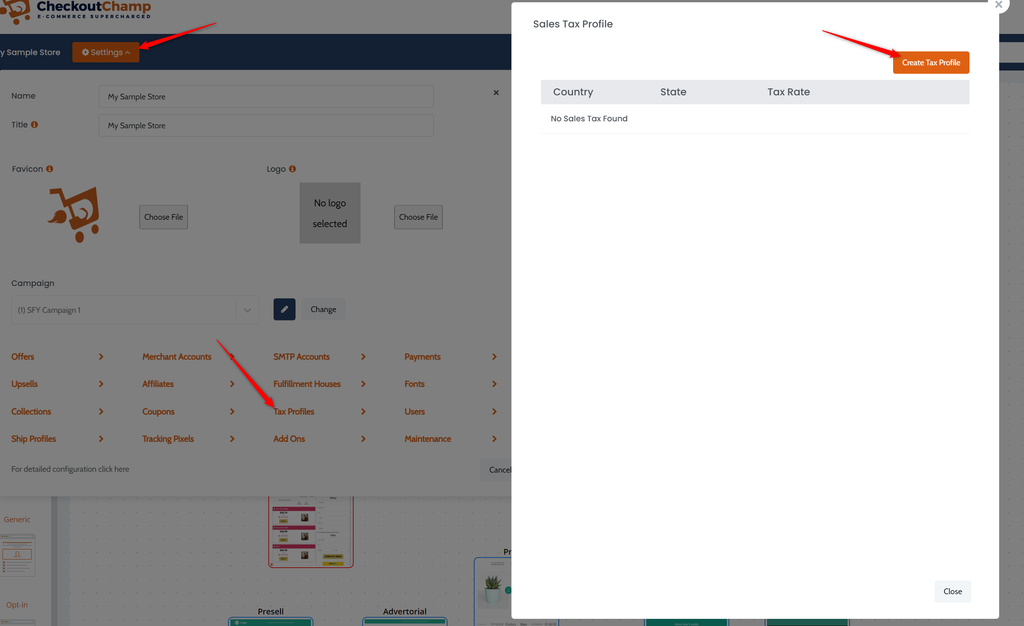
To charge tax on a funnel/campaign, go to the funnel Settings and open the Tax Profiles section.
Specify the **Country**, **State** (optional), and **Tax Rate**.
**Include Tax in Final Price** = Include tax in the product prices displayed to customers (such as a VAT). Do not include tax in the campaign product prices. Tax will be automatically added to the prices displayed on live pages.
**Exclude Rebills** = Do not charge tax on rebills
Customers from that region will be charged the tax amount